
Essential Guide for Using Chromebooks in Education
When incorporating technology in schools, devices play a crucial role in shaping the learning experience for both teachers and students. Chromebooks have become increasingly popular in educational settings due to their versatility, productivity features, and cost-effectiveness. These devices offer several benefits that can contribute to a more engaging and interactive learning experience for students.

The versatility of Chromebooks allows students to access a wide range of educational apps and tools that cater to different learning styles and preferences. With access to various forms of Chromebooks, such as tablets and touchscreen devices, students can engage with content in ways that suit their individual needs. Additionally, the seamless integration with Google Workspace tools promotes collaboration and creativity, enabling students to work together on projects and assignments.
Chromebooks are designed for productivity and collaboration, ensuring that students can quickly access learning materials and collaborate with classmates. The fast and reliable performance of Chromebooks allows for smooth multitasking, enabling students to switch between different apps and browser tabs effortlessly. This efficiency can help students stay engaged and motivated throughout their learning process.
Furthermore, Chromebooks’ cloud-based flexibility ensures that students can access their work from any device, promoting continuity and convenience. Whether in the classroom or at home, students can easily pick up where they left off, fostering a sense of ownership and responsibility over their learning journey. The automatic updates and backups provided by ChromeOS guarantee that students always have access to the latest features and security enhancements, contributing to a seamless and uninterrupted learning experience.
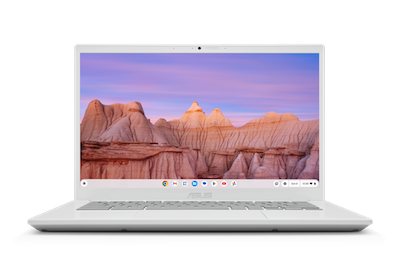
If a school invests in Chromebooks, it is important that the provider they work with includes Google’s Chrome Education Upgrade. This 1:1 feature simplifies device distribution, allowing IT administrators to easily manage and deploy Chromebooks across the school. With hundreds of policies, administrators can customise settings, restrict sign-ins, and ensure a secure learning environment. Chrome Education Upgrade also offers features like user and device policies, network settings, managed guest sessions, and app management, providing granular control over device usage.
Beyond the hardware and management features, ChromeOS for Education offers an individualised experience for students, with customisable user profiles and accessibility settings. The cloud-based flexibility ensures easy access to apps and documents from any Chromebook, promoting seamless learning experiences. ChromeOS is also easy to manage and scale, enabling IT teams to efficiently handle a large number of devices.
If a school has older devices that are going unused, Google offers ChromeOS Flex. By installing this software onto existing hardware, schools replace the operating system with ChromeOS, allowing schools to repurpose older devices and maximise their investments. By installing ChromeOS Flex, schools can transform PCs, Macs, and Linux systems into ChromeOS devices, providing a cost-effective solution for expanding their Chromebook deployments.
Chromebooks offer a compelling proposition for educational institutions, combining versatility, productivity, security, and cost-efficiency. With the added benefits of Chrome Education Upgrade and ChromeOS Flex, schools can create a comprehensive and flexible learning environment that empowers students and educators alike.
If you are interested in learning more about the benefits of Chromebooks and Google for Education in your school, reach out to us. We are happy to help you make informed decisions and proved staff development to get the most of your investments.