Part 1: Have You Tried These New Google Classroom Superpowers?
Google Classroom now offers new multimodal feedback (audio/video) options for your stream and assignments to further enhance connection with your students. These Google for Education updates aim to elevate teaching and save time. Ready to explore?
Audio, video and screen recording (AVS) has now been added to different areas in Google Classroom to support inclusion and multimodal learning!
Discover the awesome Google Classroom Superpowers that can transform your teaching experience!
⏩ Stream
Audio, video and screen recording (AVS) in the Google Classroom Stream can be utilised in so many ways:
- Relief days – add a message on your Stream to leave messages for your students while you are away
- Reminders – Add a video reminder of what work needs to complete or upcoming events they need to prepare for
- Collaborative teaching – Have a teaching partner? Leave messages for your students with what needs to be done before you are back.
- Leadership – Have a school or cohort message? Record it on Google Classroom to build connection with students and share information easily.
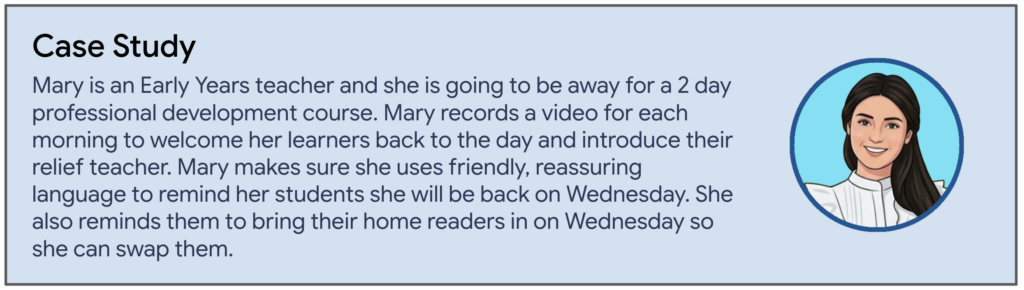
Here is an example of adding a video directly into your Classroom Stream.
Click here to watch a short video of adding a video.
⏩ Feedback
Utilize Google Classroom Superpowers for effective communication with your students.
Level up inclusion by providing audio or video feedback on assignments. With this new Classroom update students don’t just read a comment; they hear your tone and see your encouragement. They can watch or listen as many times as they need to truly process the guidance. Talk about building a connection and engaging your students!
Click here to watch a short video on providing feedback.
Student view ⬇️
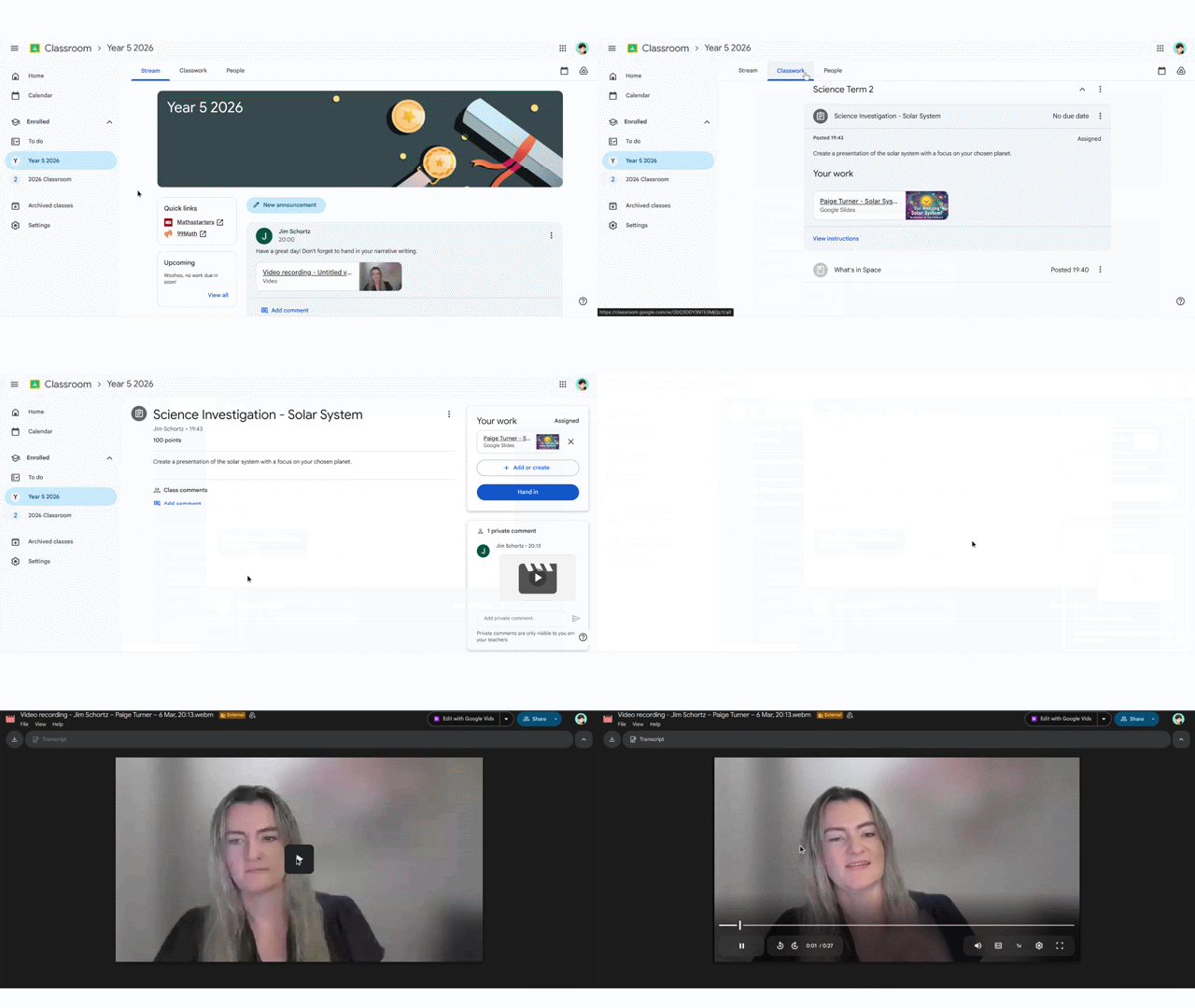
Loving the screen recording to remind students about tips we have done in class.
Video: Feedback Screen Recording
- Audio Feedback – Use this tool to give some audio feedback that students can listen to over and over
- Video Feedback – Use this tool to level up your student connection by sharing a video to celebrate their achievement in their learning
- Screen Recording – Show students exactly what you are trying to explain by recording your screen. A great way to model expectations of work and provide little tips along the way!
⏩ Bring on UDL!
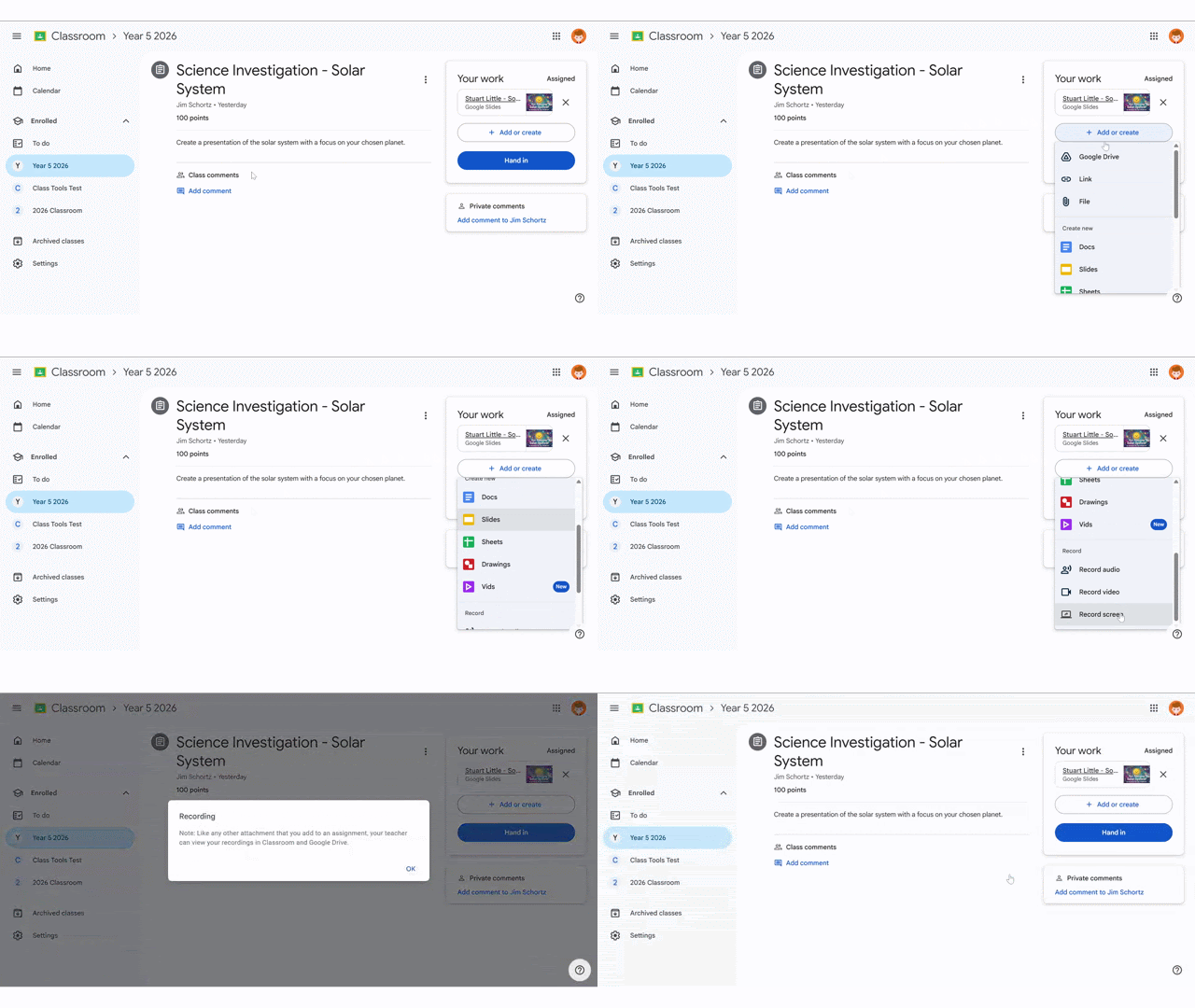
Students now have so many choices in how they submit work. Your students are able to record their own video, audio, or screen to submit in Google Classroom. This flexibility is a core part of Universal Design for Learning (UDL)—a framework that removes barriers to learning by providing multiple ways for students to engage with content and demonstrate their knowledge. Recent research highlights the transformative power of this approach, showing a staggering 3.56 total effect size on student learning outcomes—a figure that far exceeds the average for most educational interventions.
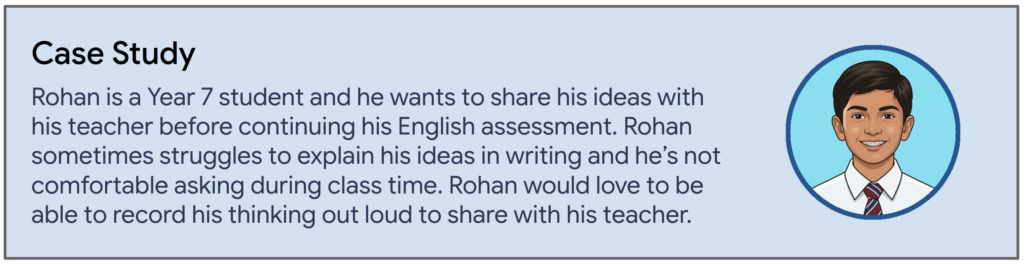
Have a look at the different ways students can submit work in Google Classroom.
Want to see more updates coming out this year? Keep your eye out for Part 2 of our Google Classroom blog series. Read our recent BETT Google Updates blog to learn more about what is coming in 2026.
Stay Curious!
📖 Learn on your own time – Head over to our online courses store to check out the different courses we have on offer from our Level 1 and 2 Google Certified Educator Courses to Intro to Gen AI or Google Classroom Masterclass to the Essentials with Docs, Sheets, Gmail and Slides.
🤝 Professional Development – Reach out to us to discuss how we can partner with your school to support your professional development journey.
📣 Events – Watch this space! The 2026 Summits will be announced soon. Follow us on LinkedIn or Instagram for more information.
Learn with Deploy Learning & Google – Check out this link for our 2026 Google events https://dpln.au/google26