Deploy Learning 2026: New Year, New You!
Welcome back to 2026! New Year, New You!
We hope you’ve had some time to rest and reset over the summer holidays.
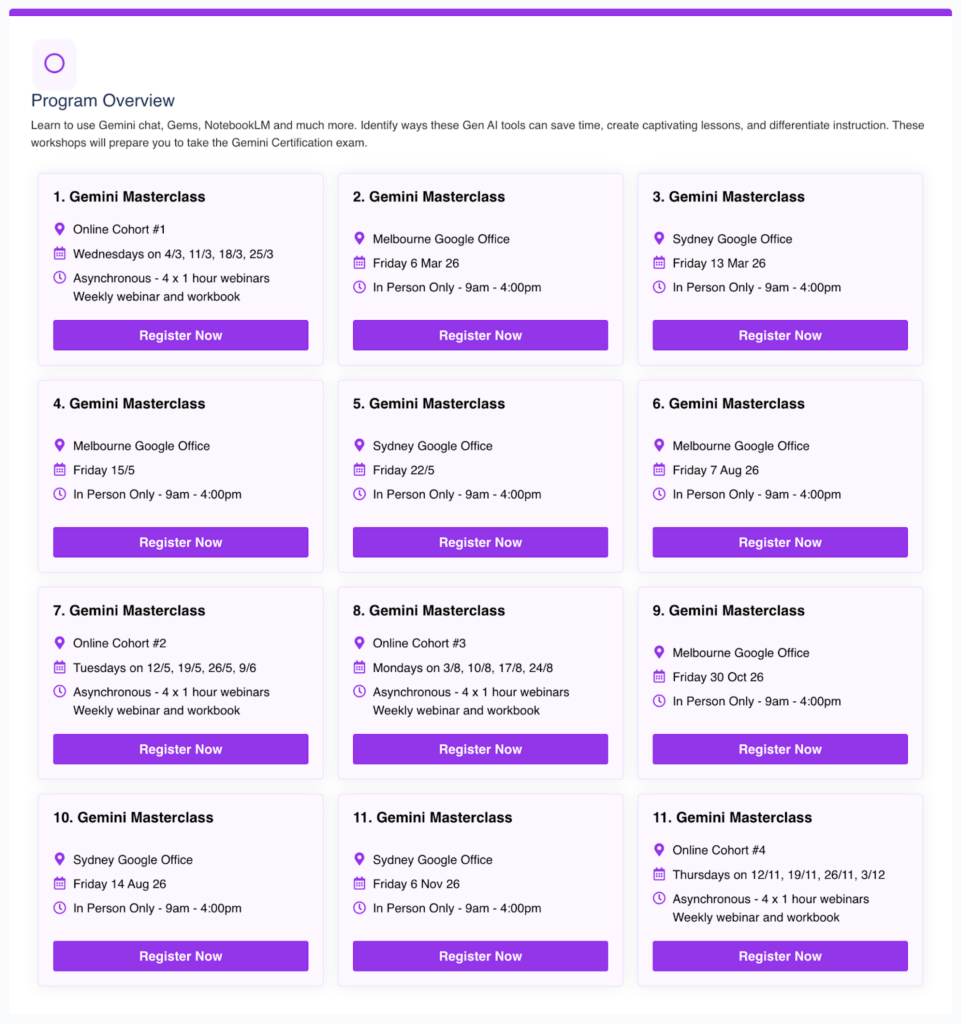
We’re excited to connect and work with you in 2026. Speaking of 2026, we will have lots of opportunities to learn together again from our Gemini Masterclasses to the Level 1 and 2 Google Certified Educator events to the NEW Google AI Summits!
We already have over 20 events locked in for you with more exciting events to be announced soon.
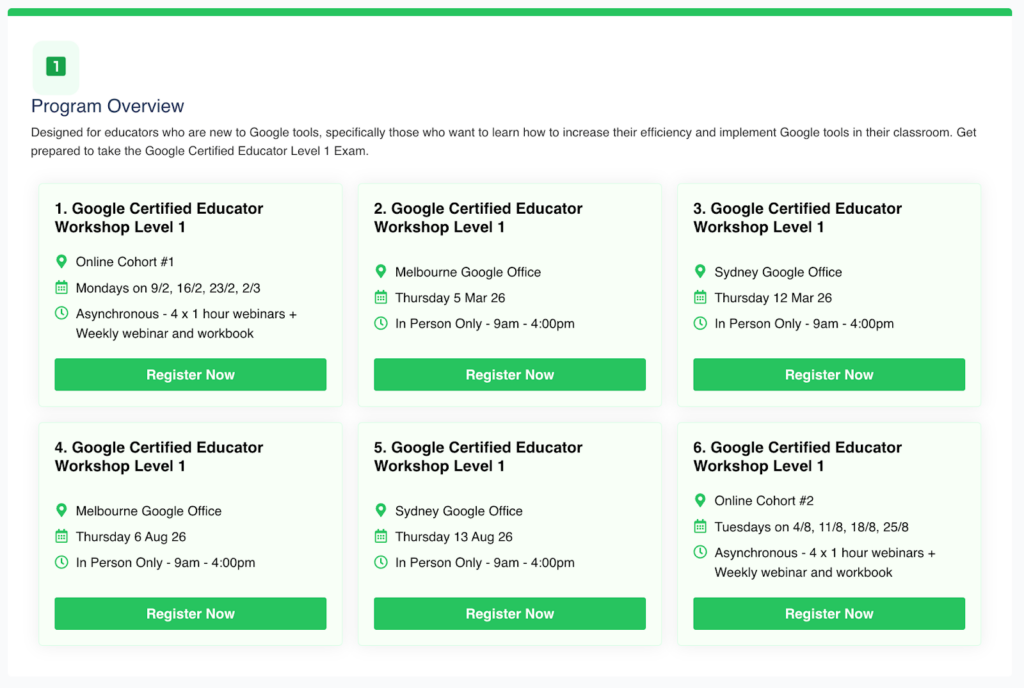
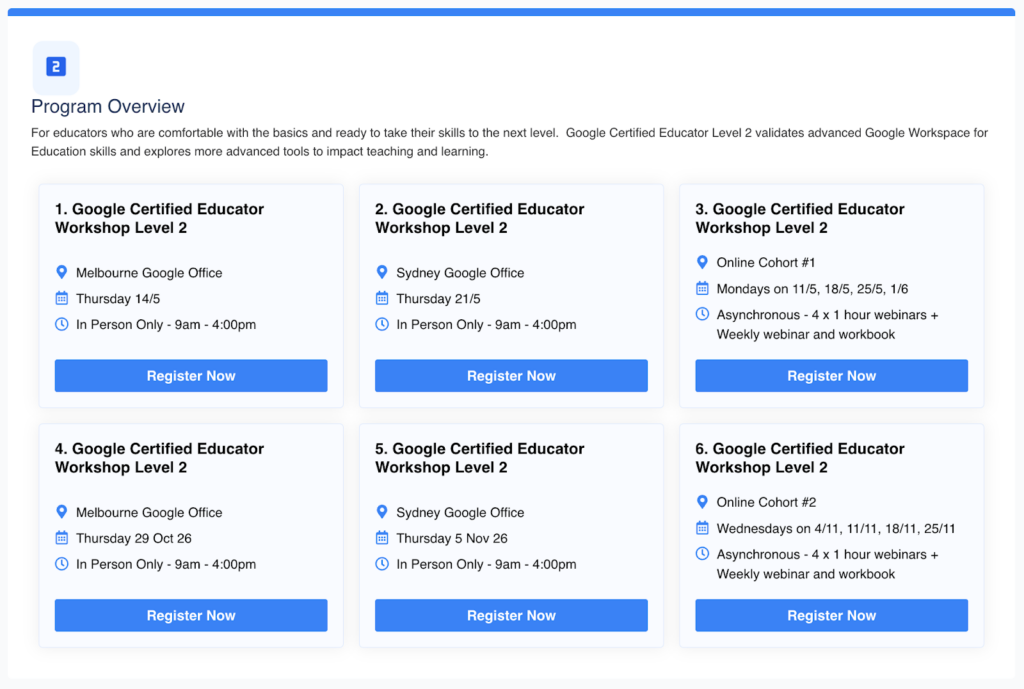
Registrations are now open for the Gemini Masterclasses and Level 1 + 2 Google Certified Educator events!
Click here to explore and register for our free-of-charge events and workshops in 2026.
We are partnering with Google Australia to elevate your teaching skills and future proof your career.
dpln.au/google26

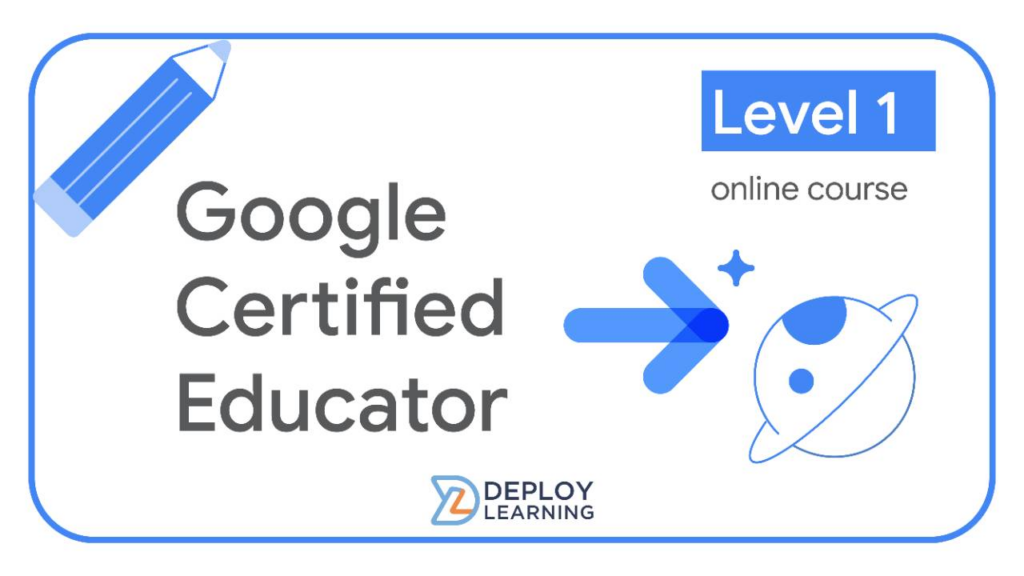
Our Level 1 Google Certified Educator course is now live!
The new online course will prepare you to successfully complete the Level 1 Google Certified Educator exam. Learn to use the core applications in Google Workspace to improve teaching and learning while preparing you to pass the exam.
- Feeling motivated? Google Certified Educator Level 1 – Month access
- Want to take your time? Google Certified Educator Level 1 – Annual access
Tips to kick start off the 2026 school year.
Phil Carew + NotebookLM
- Have you had a chance to experiment with the new studio tools in NotebookLM?
- My favourite studio tool would have to be the audio and video overviews. I love the way that these tools make learning accessible for all. We know that not everyone learns by reading text so using these features help to make learning different and more engaging for all.
- Try creating a Notebook with all of your curriculum resources for a specific topic and use the studio to provide students with differentiated content.
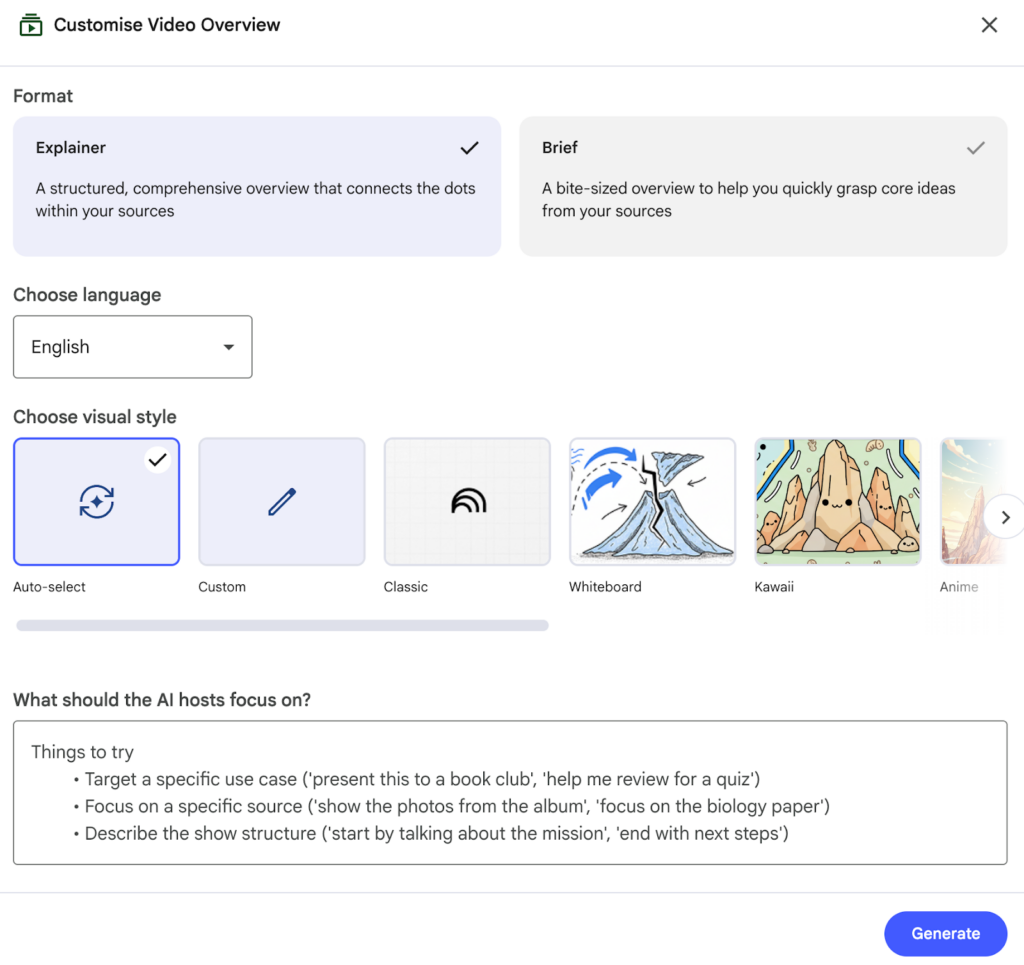
- Tip! Click the pencil icon to customise the studio tools (check out the video example below)
- Click here to get started with NotebookLM

Luke Starczak + Workspace Studio
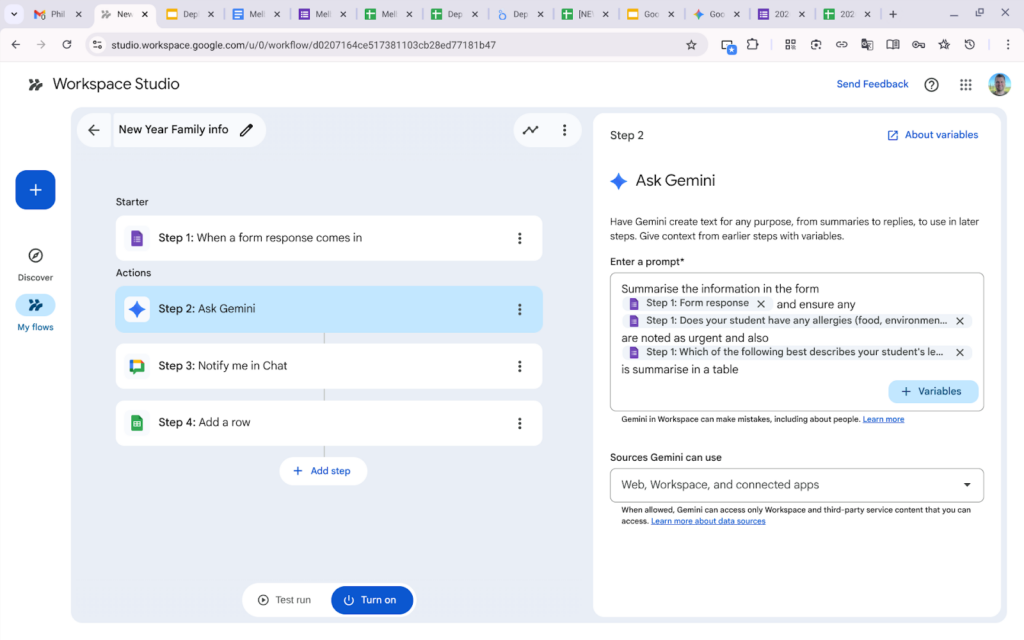
- Have a go at setting up a flow in Workspace Studio to automate a repetitive task.
- You might be collecting info from the families of your new classes using Google Forms and want to synthesise this into a summarised table in Google Sheets as well as sending the summary to yourself in chat.
- All Education users have access to Workspace Studio but you will need to talk to your Admin to turn it on.
- Check out this Create your first flow tutorial from Google
Tamara Templeton + Gemini and Workspace
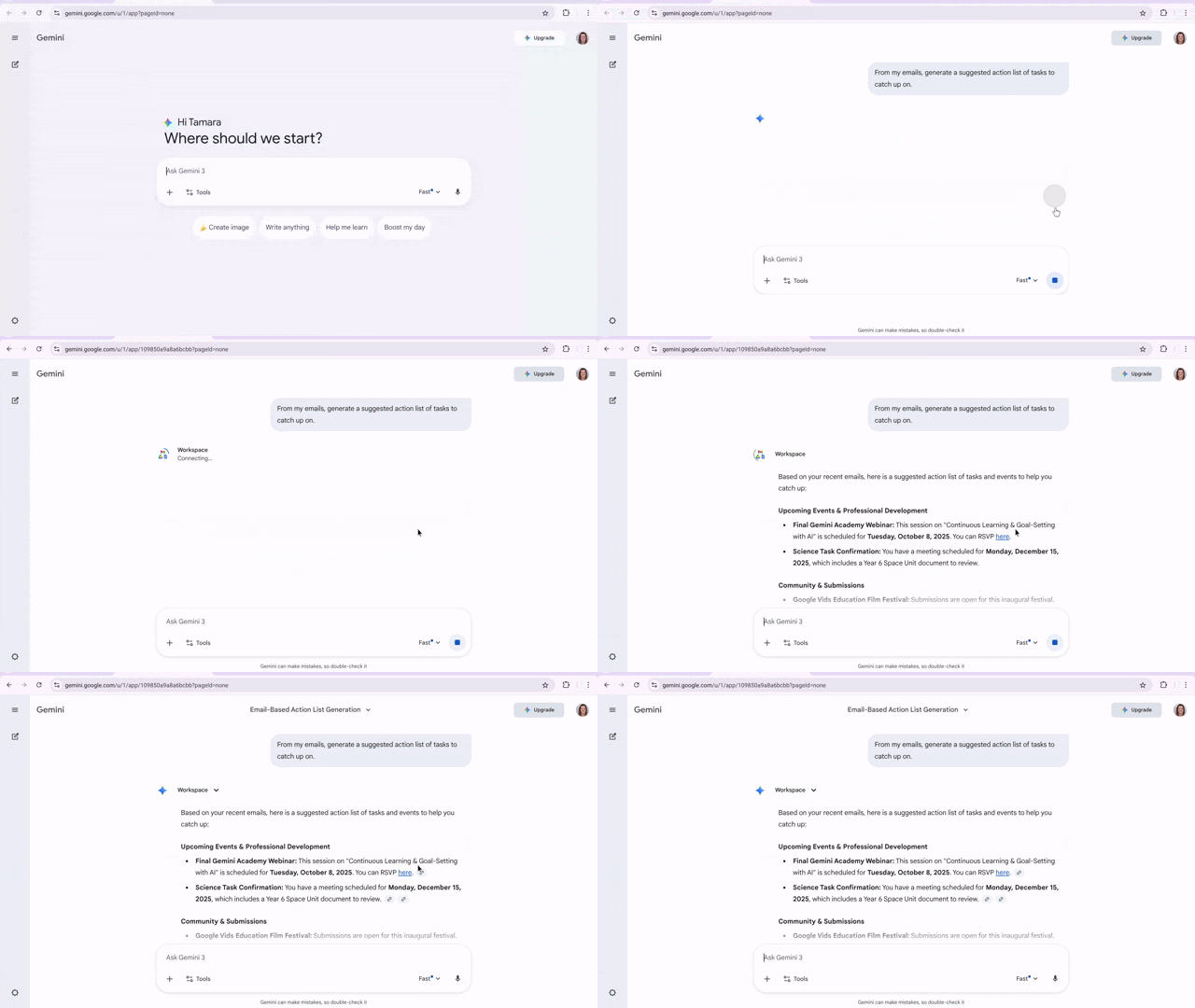
- Have you connected your Gemini and Workspace accounts ready for the new school year?
- Connecting your accounts supercharges your Gemini to maximize your organisation and routine. Not sure what emails you have to prioritise to respond to? Ask Gemini to create an action plan for your important emails. Not sure what Docs you have already created for planning? Ask Gemini to find all Docs related to planning
- It’s simple to set up! Ask Gemini a Workspace related question about your emails, Calendar or Drive contents and it will prompt you to connect your apps! Easy as.
- If connecting your Workspace doesn’t work, check that it is enabled in your Admin Console and you have enabled ‘Smart Features and Personalization’ in your Gmail. More info here
Rachel Duckworth + Gemini Live
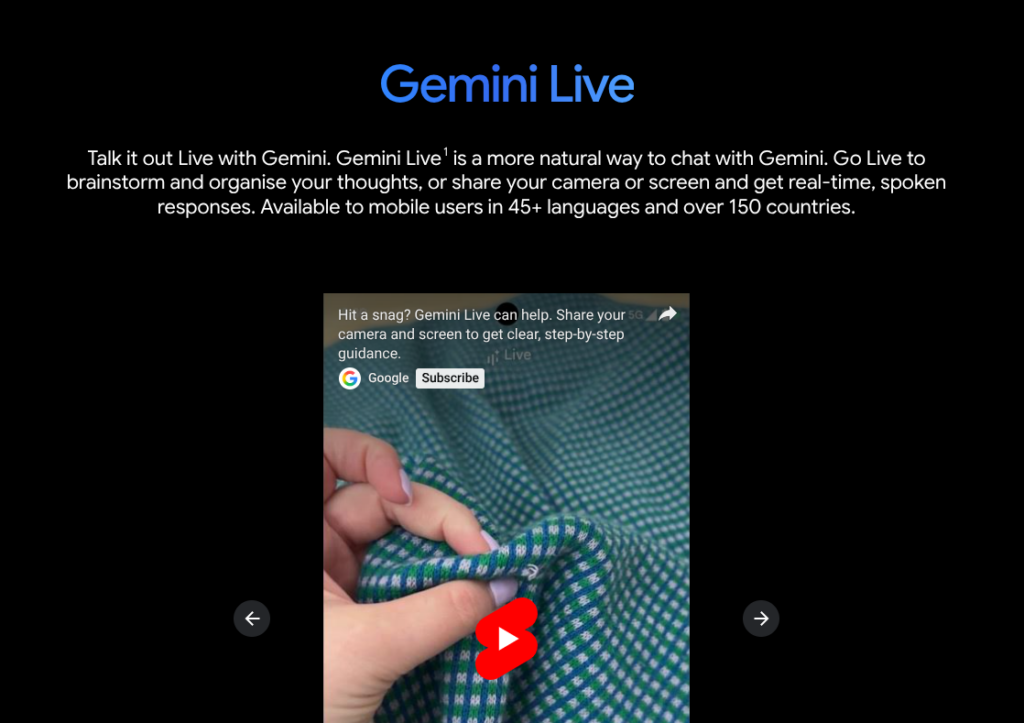
- Have you tried using Gemini Live to kōrero about your lesson planning while you’re setting up your classroom?
- My favourite way to use Gemini is through Gemini Live on the mobile app. It’s just like having a natural, back-and-forth conversation with a colleague, which is perfect for bridging the gap between global curriculum concepts and our unique Aotearoa context. We know that learning is more powerful when it’s grounded in tūrangawaewae (a sense of place), and Gemini Live is a brilliant, low-stakes way for kaiako to practice pronunciation of local place names or brainstorm ways to weave te ao Māori into daily science or social studies units.
- Try opening Gemini Live while you’re setting up your learning space. Ask it to help you find local examples of scientific principles, like exploring the properties of harakeke (flax) when teaching about natural fibres, or identifying local pūrākau (stories) that align with a geography unit on landforms. Because it’s hands-free, you can keep working while you refine your ideas.
- Tip! Use the Camera feature within the Gemini app to “show” the tool a local landmark or a plant in your school garden. Ask, “What is the significance of this in an Aotearoa, New Zealand ecosystem?” to get instant talking points for your next student inquiry.
- Click here to get started with Gemini Live
Get ready for the new school year with Google!
Join Google for Education’s AUNZ Back to School webinar series this January!
During the webinar’s the team will share top tips and new features to help you create an engaging and inclusive, tech-enabled classroom.
Register Here – Let’s go back to School for 2026 with Google for Education
- Top ten updates from Term 4, a recap
Mon, 19 January 2026 – 9:30 – 10:15 GMT+11 - What’s new with Gemini and Notebook LM
Tue, 20 January 2026 – 9:30 – 10:15 GMT+11 - Accessibility and inclusion in Google for Education
Wed, 21 January 2026 – 9:30 – 10:15 GMT+11 - Setting up for success with Google Classroom
Thu, 22 January 2026 -9:30 – 10:15 GMT+11 - What’s coming next to Google for Education in 2026?
Fri, 23 January 2026 – 9:30 – 10:15 GMT+11

Stay Curious!
📖 Learn on your own time – Head over to our online courses store to check out the different courses we have on offer from our Level 1 and 2 Google Certified Educator Courses to Intro to Gen AI or Google Classroom Masterclass to the Essentials with Docs, Sheets, Gmail and Slides.
🤝 Professional Development – Reach out to us to discuss how we can partner with your school to support your professional development journey.
📣 Events – Watch this space! The 2026 Summits will be announced soon. Follow us onLinkedIn or Instagramfor more information.
All the best for Term 1, we hope you have a successful and bucket filling year ahead!
We look forward to working and learning with you this year.
See you at an event in person or online soon.
The Deploy Learning Team.
Join us at an event in 2026 dpln.au/google26
Click hereto sign up to our monthly newsletter